For the Ford F-150 Lightning.
I drive a 2023 F-150 Lightning ER. I wanted to see what the truck won't tell me — pack temperature on a hot DCFC stop, cell variance creeping up over a year, real mi/kWh on a tow trip.
So I wrote this app. It's the tool I wanted to exist, and now it does.
— MJ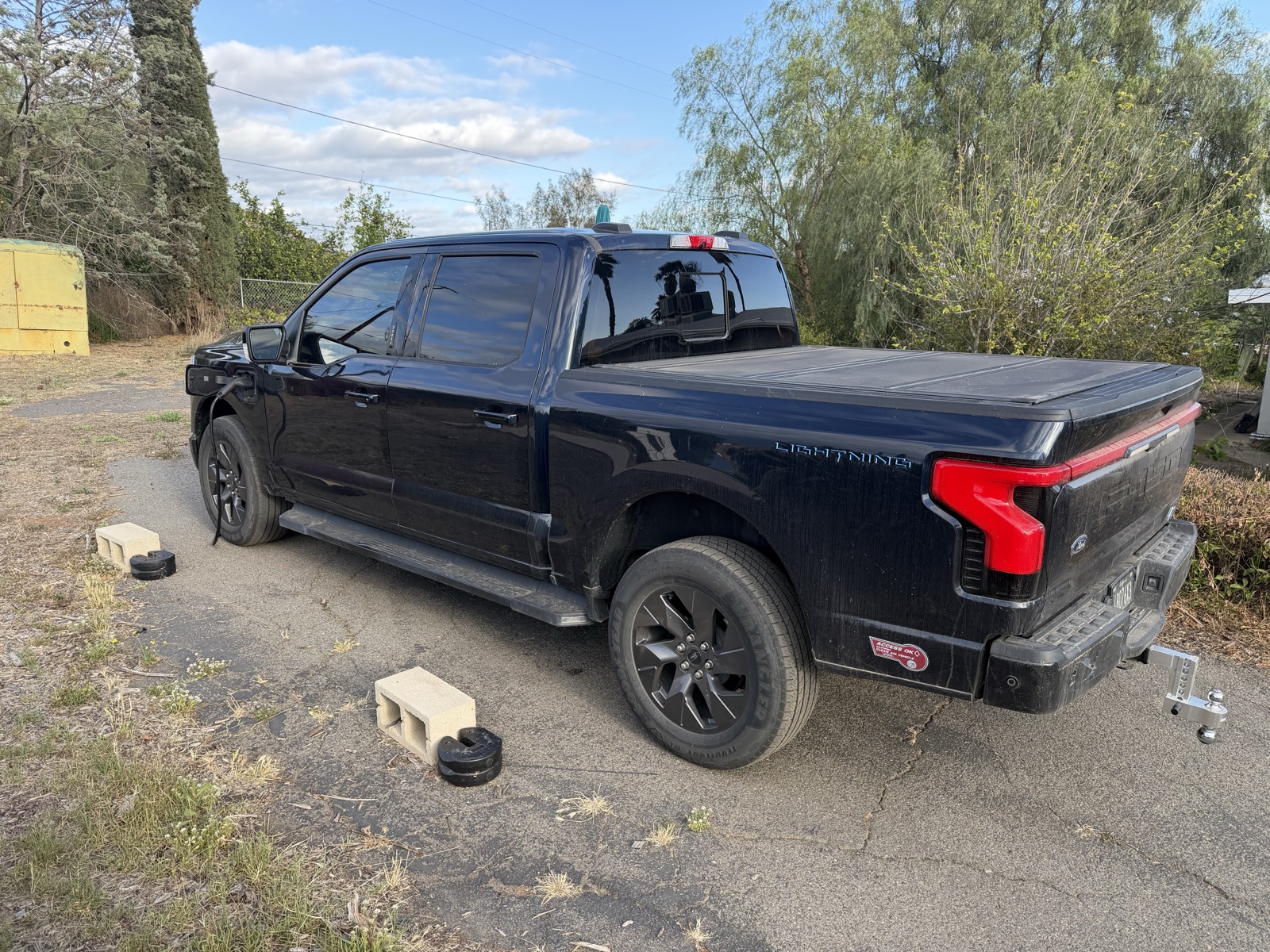
what it shows
Every value is a real PID read off the truck. No fakes, no marketing-table filler.
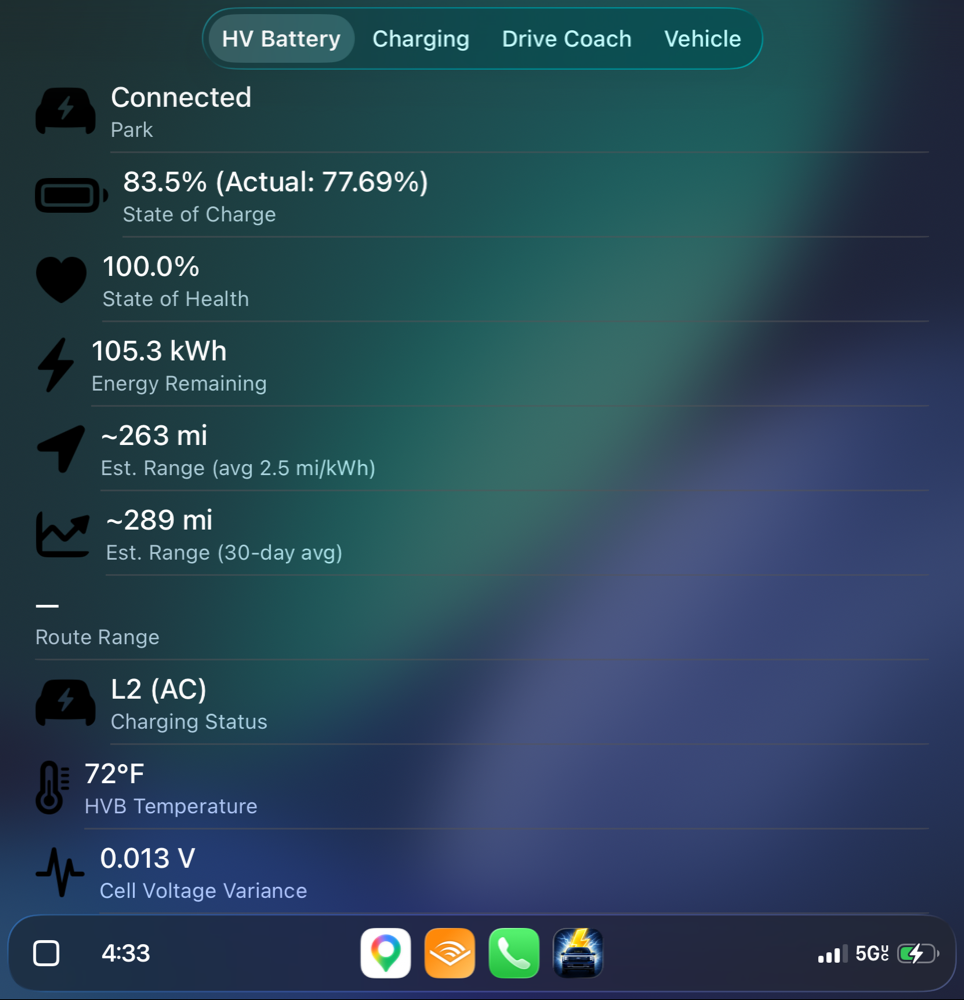
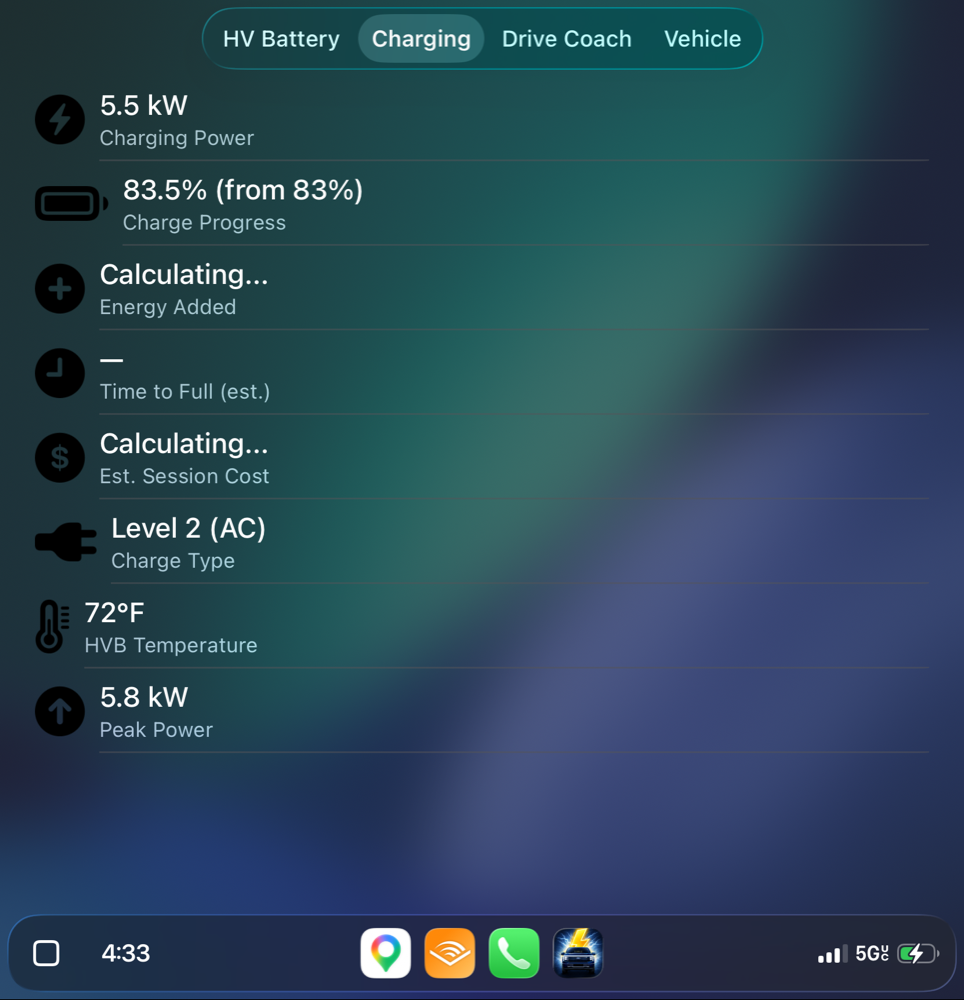
- HV pack temperature. Read live — useful before a DCFC stop, after a hard pull, or when the truck has been sitting in the sun.
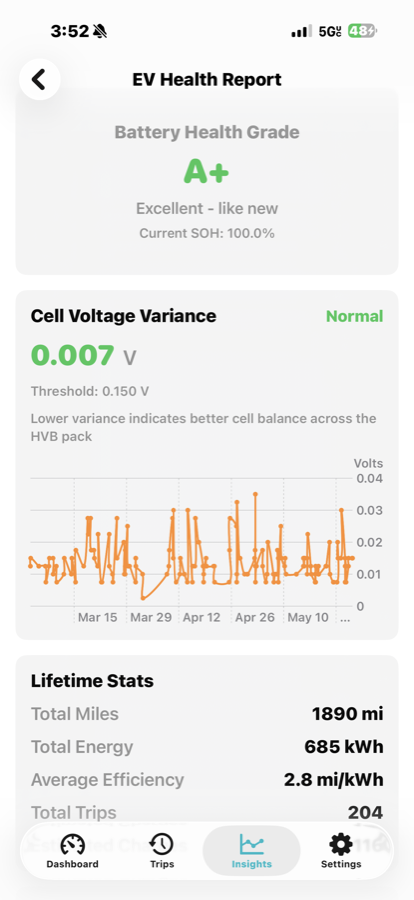
- Cell voltage variance. Slowly creeps up as a pack ages. Now you can actually watch it.
- Charging power curves. Every L2 and DCFC session is logged with kW vs. time. See your taper.
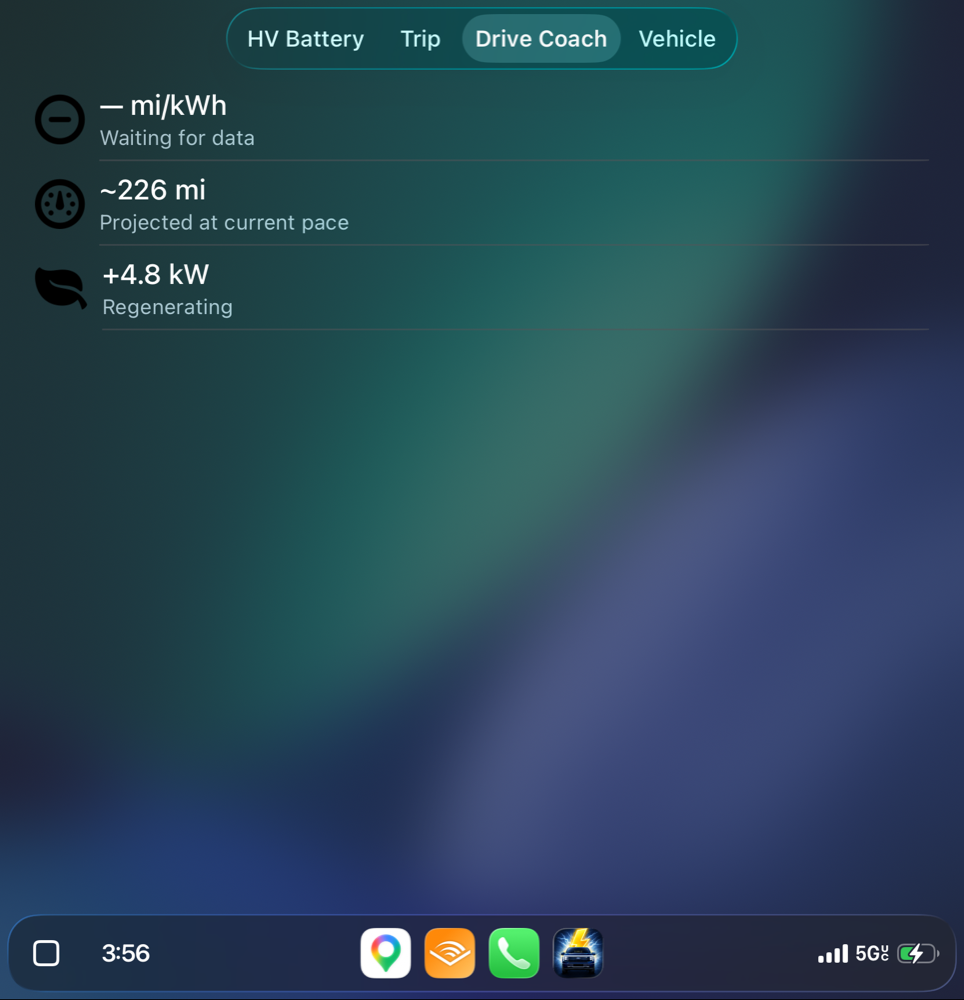
- Real mi/kWh per trip. Computed from your truck's actual energy counter, not estimated. Filter by towing or not.
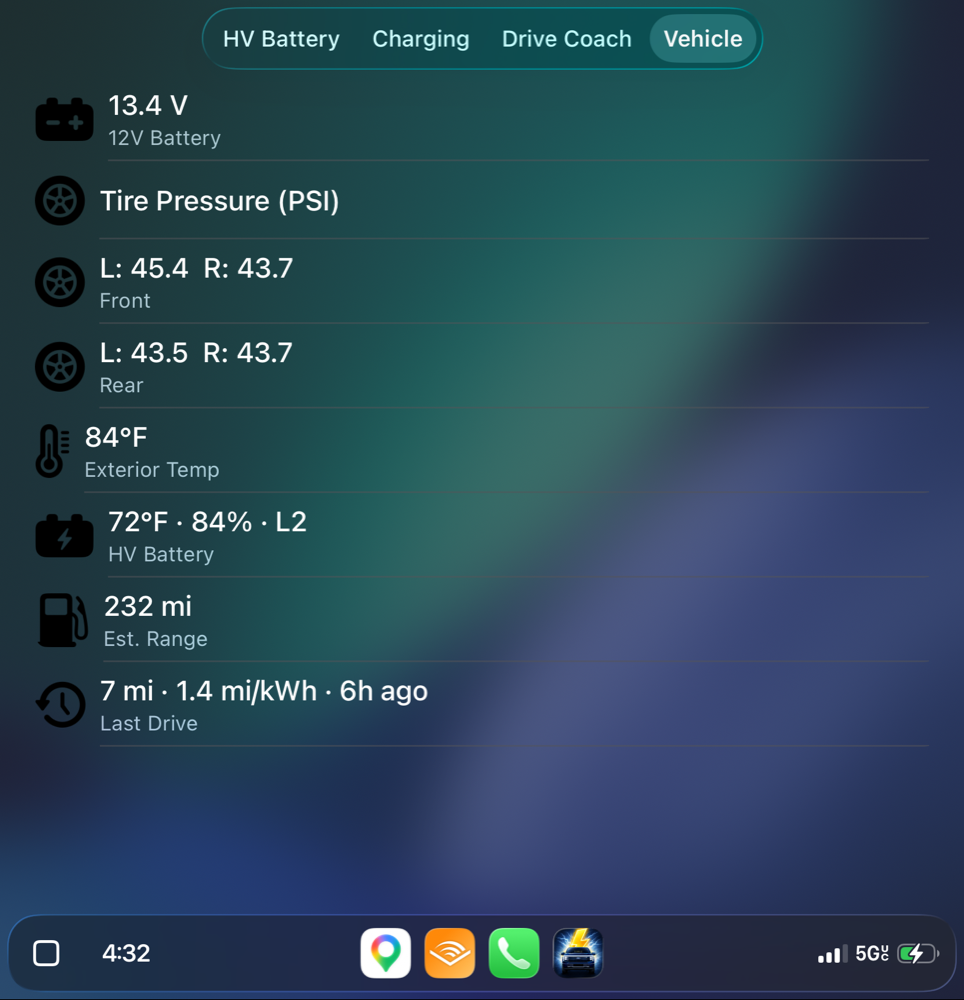
- State of charge, voltage, current, 12V health, tire pressure per corner, exterior temp. All live, all in one glance.
how it works
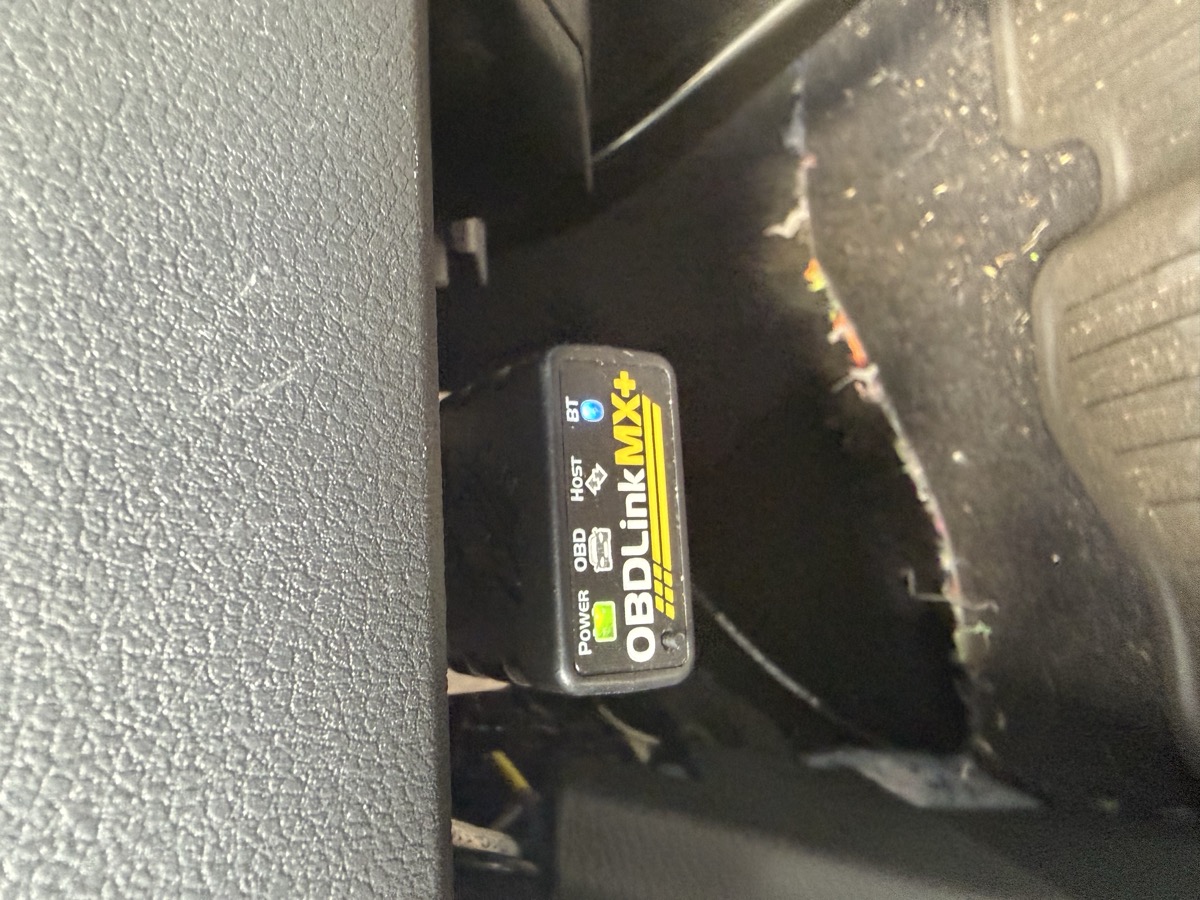
- Plug in a supported Bluetooth OBD-II adapter (OBDLink CX, MX+, or vLinker FS).
- Pair once. The app remembers it. Future trips reconnect on their own.
- Drive. Trip detection is automatic. Routes, energy, weather, and tire pressure are captured silently.
- Read it later. Dashboard on iPhone, lock-screen widget, Live Activity while driving, and CarPlay with Battery / Trip-or-Charging / Drive Coach / Vehicle tabs.
what it looks like
On the phone, the Dashboard pulls everything into one glance — Trip card, weather, 12V health, tire pressures per corner. The Trips tab logs every drive with real efficiency, energy, elevation, and weather. The Insights tab earns its name with an EV Health Report that grades the pack and tracks cell variance over time.
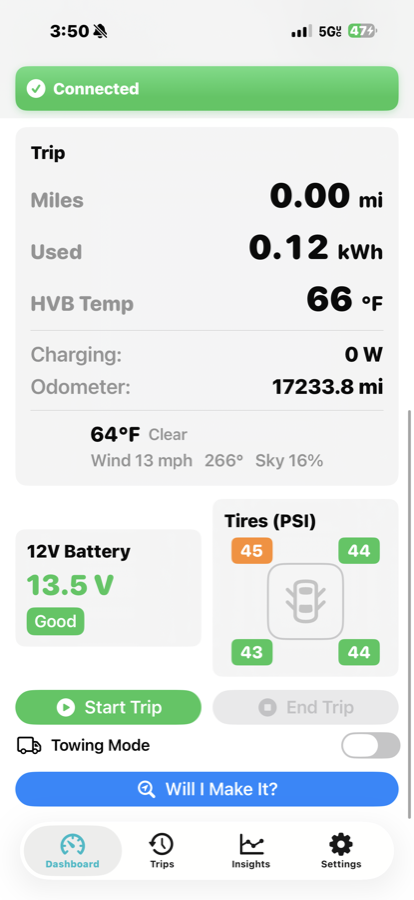
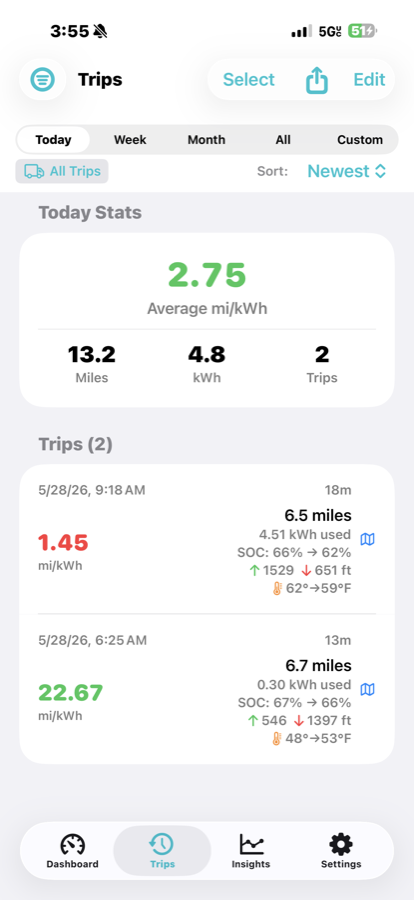
In the truck, CarPlay shows four tabs — Battery, Drive Coach, Vehicle, and one that swaps between Trip and Charging depending on whether you're plugged in. Real screenshots from my truck this afternoon:
where the data goes
Nowhere, mostly. No accounts. No cloud sync. No analytics SDK. No ads.
The truck talks to your phone over Bluetooth. The phone writes everything to a local database. You own the file. Export it as CSV any time.
One exception: your GPS coordinates go to Open-Meteo to fetch weather for trip context. That's it. That's the whole network story.1
- 1 Don't take my word for it — read the privacy policy. It's the same thing in plain English.
what it costs
$9.99. Once. Forever.
One non-consumable in-app purchase. Not a subscription. There's a 7-day trial of every premium feature built into the app — install it, drive with it for a week, then decide if $9.99 is worth what you saw.
I'd rather offset my coffee budget than build a subscription business. This is a side project from a Lightning owner to other Lightning owners.
fits / specs
— or — email me at support@evdatabot.com. I read every one.